For operators
Written for the person carrying the stand.
What to bring, what to set up the night before, and what needs connecting first. In the order it happens.
Equipment
What you bring.
An iPad on a stand
The booth app runs on the iPad. Put it in Guided Access so nothing else can take the screen mid-event.
A light and a backdrop
Any backdrop works. Hang a green cloth for the cleanest edges, or use the automatic mode and travel lighter.
Optional: a laptop and a dye-sub printer
Photo printers are USB. A DNP DS620A, DS-RX1HS or Citizen CX-02 plugs into a laptop at the booth running our print server.
Optional: a camera on a cable
The booth can shoot stills on a tethered Canon, Sony or Nikon (beta) body through a USB-C cable or hub. Video, 360 and the guestbook use the iPad's own camera. Which cameras and what to set.
Optional: a second iPad by the door
Paired as a sharing station, it shows the wall and lets guests send themselves any photo, so the booth queue keeps moving.
Optional: the venue's TV
Open the slideshow link on it. Photos appear as they are taken, with a code in the corner that books you.
The evening
The checklist, in order.
1. The night before: build the event
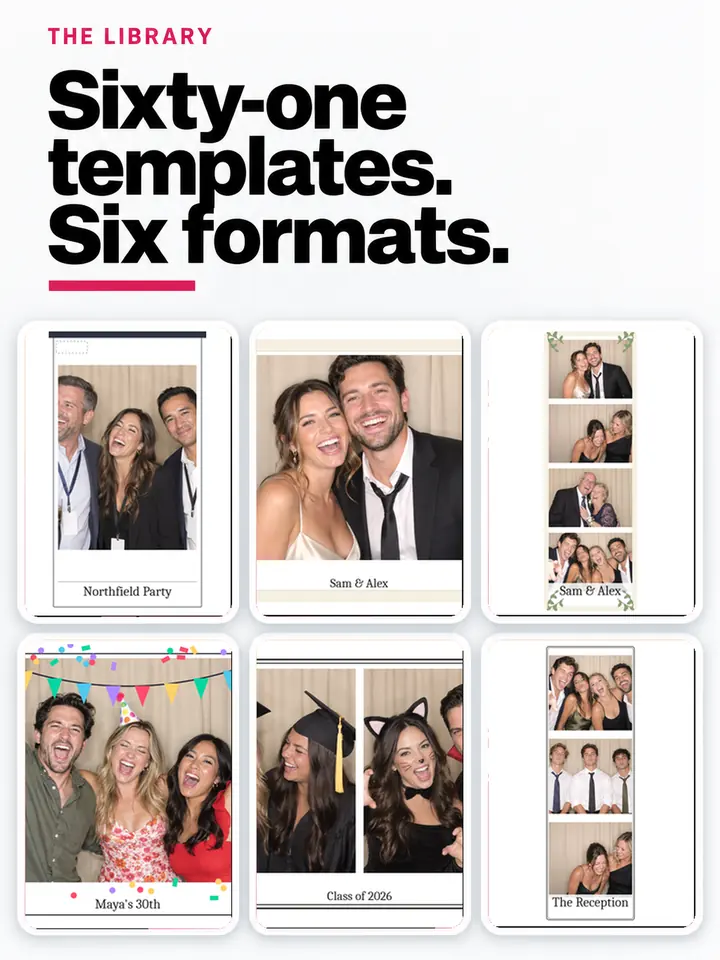
Events, New event. Name it the way guests will recognise it, set the date and timezone, add the host's email. Pick a template: sixty-one across six formats, and the format decides how many shots the booth takes.
2. Decide what the booth does
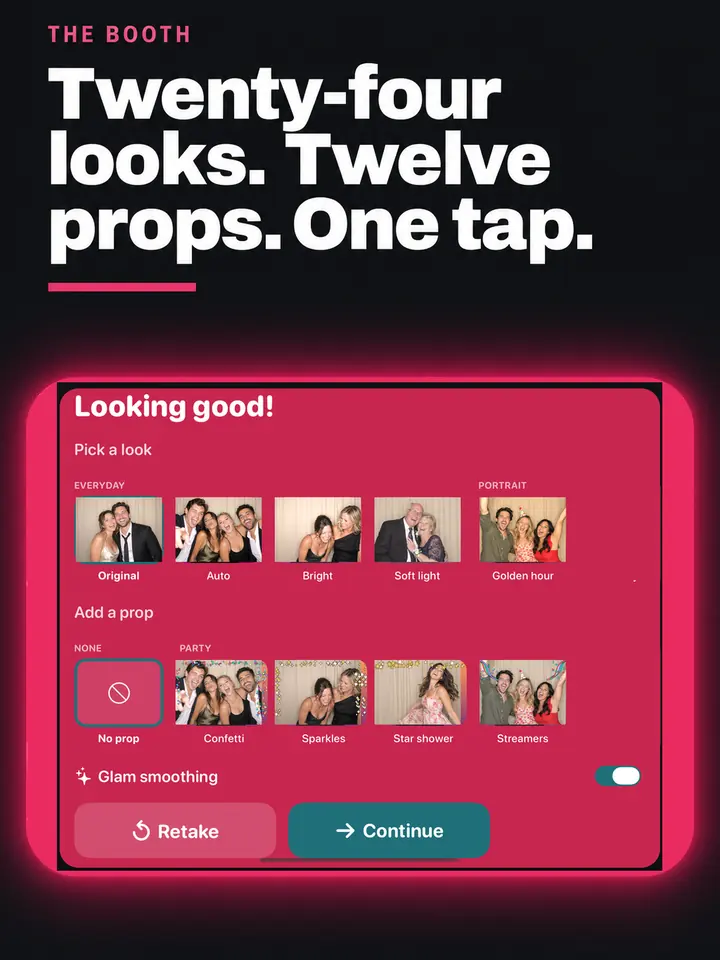
Photo, burst, GIF, boomerang or video. One mode means the booth starts on a single tap. Narrow the twenty-four looks to the handful that suit the room, and leave glam smoothing on for weddings.
3. Decide how photos reach people
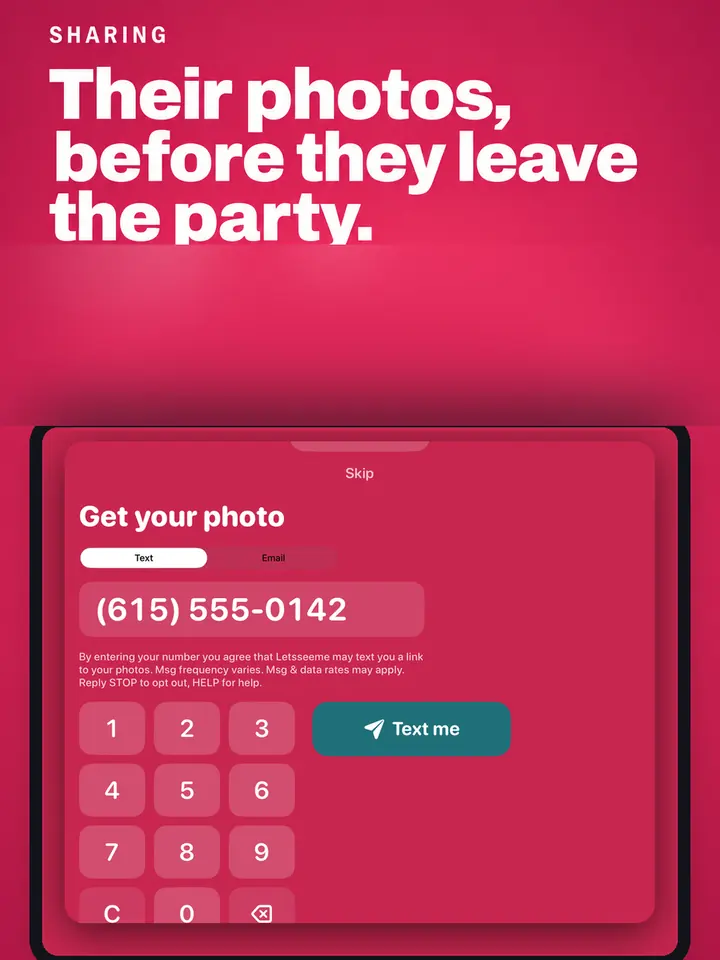
A link text is free to send. The picture itself as a picture message is 5¢. Email and an on-screen QR are always there and cost nothing.
4. At the venue: pair the iPad
Booths, Pair. A six-digit code that lasts ten minutes. Type it into the booth app and the iPad pulls down the event, its template and your branding. Once per iPad, not once per event.
5. Leave it on the attract screen
Choose the event and walk away. A tap anywhere starts a session. If an iPad is restarted it comes back paired, on the same event.
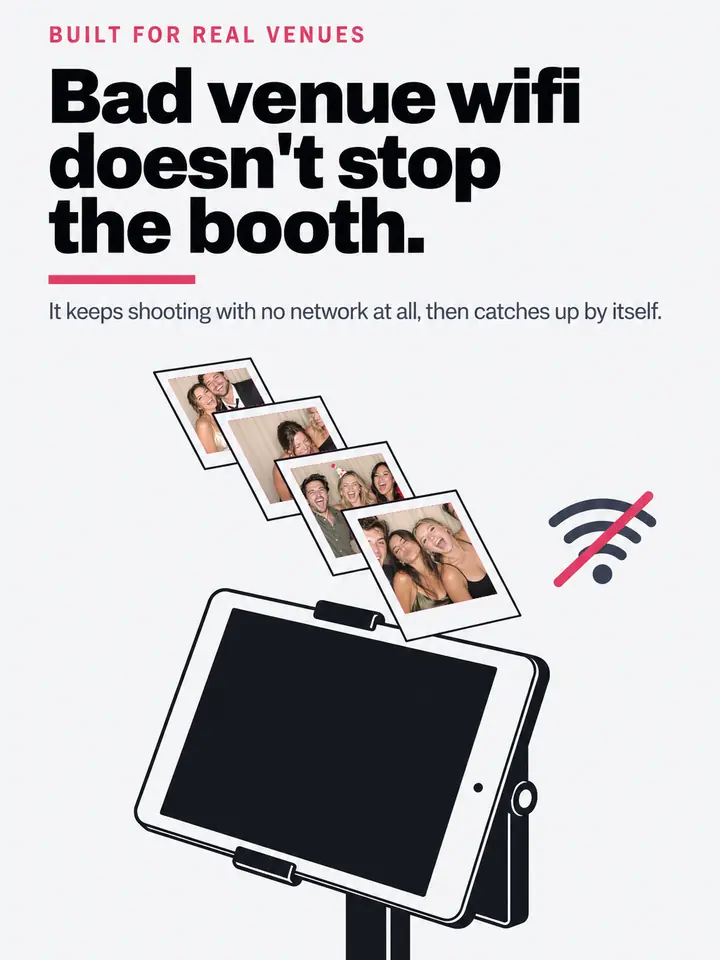
6. Check the wifi, then stop worrying about it
The booth shoots with no network at all. Photos and texts queue on the iPad and go out when it reconnects, and the booth's Settings screen shows how many are waiting.
7. Watch it from the bar
The Live screen shows every booth with its last photo. Send home, Refresh settings, Put a message up and Move to all work from your phone. A booth quiet for six minutes raises an alert by itself.
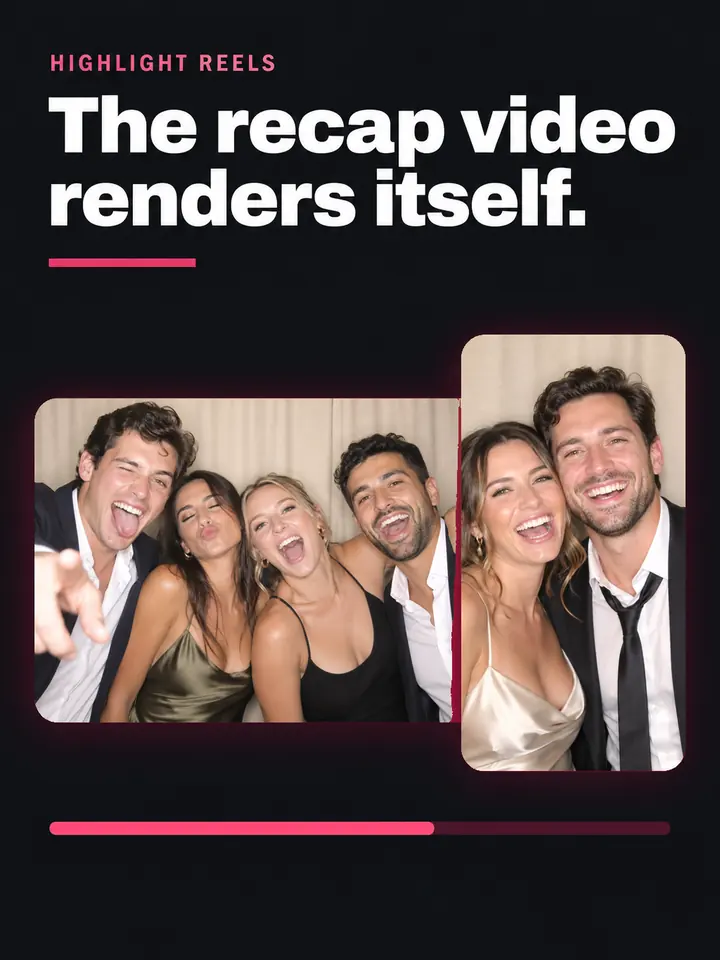
8. Afterwards: send the gallery and end the event
The host link is on the event's Links tab. Export the guest list with its consent records. Ending the event renders both cuts of the highlight reel and emails them to the host, without our watermark on ProPro.
9. Then book the next one
Every photo that went out carries your booking page. Requests arrive under Bookings with the event that produced them. See the bookings section below.
Printing
Prints at the booth, and the print server.
Dye-sub printers are USB devices with no network stack worth the name. Every booth product solves it with a laptop at the booth. This is ours, and it installs in one line.
Turn printing on for the event
On the event: the strip or the postcard, prints per guest, and a limit for the night so a busy wedding cannot eat a whole box of media. The limit is claimed centrally, so two booths cannot both print the last sheet.
Plug the printer into the laptop and run the print server
On the laptop at the booth, on the same wifi as the iPad, in a terminal:
npx boothkit-print-serverIt needs Node 20 or newer and prints a six-digit pairing code. Leave the window open all night.
Pair the iPad
On the iPad, Settings, Printing. It finds the laptop by itself and asks for the six digits. If the venue's wifi blocks discovery, type the address from the banner instead.
Pick the printer and the paper
The iPad lists whatever the laptop can print to. On a DNP loaded with 4 by 6 media, a 2 by 6 strip is one sheet cut in half: set the 2 inch cut once in the driver. On Windows, set the paper size in Printing Preferences before the event.
If it stops
Nothing is lost. A job the iPad handed over sits on the laptop and prints when the printer comes back, even if the wifi died. A failed sheet still counts against the limit, and the dashboard has a reset.
AI looks
Looks the guest picks, and looks you make.
Pick a look
The Money Maker, Add something to sell. Tick the looks to offer from the library, set a price for all of them or one per look, and each shows its example, made once on a sample photo. The guest taps a look on their phone, pays, and their own picture is made in about half a minute. A look is at least $1; free looks need the AI Party Pack.
Make your own looksPro
The Money Maker, Your own looks. Give it a name and say what it should do in your own words; every look keeps the people exactly as they are, and the words are checked before they are saved. Add a picture whose colours, materials and mood it should borrow, press Test to see it on a sample photo, then offer it in Pick a look under Made by you. A test counts as one look against the AI Party Pack, or ten cents without one.
Texting
How texts go out.
From our number, in your name
Texts name Letsseeme and go out from Letsseeme's shared number, and every one carries the link to your booking page. Link texts to US and Canada numbers carry no per-message charge, fair use 1,500 per event. Picture messages are 5¢.
Texting needs the messaging account connected on our side. Until it is, a share is queued and the dashboard says exactly why it has not gone.Your own numberPro
Settings, Texting number. Add a number you own and every text from your events goes out from it, naming your product. Guests who reply STOP are honoured across the whole platform, on any number.
Getting paid
Stripe, and what pays what.
Billing, Set up payouts
It opens Stripe's own onboarding for a connected account in your name. Until it is finished the storefront stays off, and no guest is shown something they cannot buy.
Set your prices under The Money Maker
AI looks, keepsakes and the host's gallery each take a price per event. A look is at least $1 (a short video $5, a long one $8), and the dashboard shows what each costs us to make and check next to what you keep.
The money moves like this
Custom keepsakes, made from their photo. Guests order mugs, tumblers, shirts, hoodies, totes, posters, canvases, magnets and stickers with their booth photo on it, made and shipped to their door. You set the price. We sell it, collect the sales tax, cover the making, the shipping and the card fee, and keep 10% of the profit. The rest is yours, paid out weekly.
AI looks: what the picture costs us to make and check, plus 10% of what is left. Free looks need the AI Party Pack; past it, 10¢ a picture and $1 a video on your monthly invoice, with picture messages at 5¢. Nothing on the gallery, the messages video or digital copies. Stripe's own processing fee is separate, and you are the merchant of record for refunds and disputes.
White label
Your name on everything, step by step.Pro
Settings, Brand
Product name, primary and secondary colour, logo. On Pro and Studio they land on every booth screen, every guest page, every email and the reel's end card. On other plans the fields are locked and the pages show Letsseeme's look, with your business name and booking link still on every one.
Settings, Email and texting number
Your from name and address. Add the DNS records it shows you, press Verify, and emails go out as you. Add a number you own and texts go out from it. Pro and Studio.
Settings, Your own domain
Add a subdomain you own, add the CNAME at your registrar, and once it is live every guest link is on your hostname. Links keep working on ours while you wait. Pro and Studio.
Settings, Powered by
On Pro and Studio the switch takes the “Powered by Letsseeme” line off every guest page. On other plans the line stays.
Tethered cameras
A real camera on the cable.
Stills only, on every plan. Plug the body into the iPad with a USB-C cable, or into the hub the printer uses, and pick "Tethered camera when connected" in the booth's settings. The settings screen names what it found; a body it cannot drive says so.
Canon
EOS bodies with USB-C, such as the EOS R100. On the camera: the mode dial on a stills mode, Wi-Fi off, Auto Power Off disabled. Pictures go to the card and the booth pulls each one over the cable. Live view shows on the iPad.
Sony, in PC Remote mode
Alpha and ZV bodies, such as the ZV-E10. On the camera: MENU, Setup, USB Connection: PC Remote. USB LUN Setting: Single. PC Remote Settings: Still Img. Save Dest. to Camera Only, RAW+J PC Save Img to JPEG Only. The Still/Movie/S&Q dial on Still. Auto Power Off: Off. Then the USB-C cable.
Nikon, beta
Z and D bodies over USB PTP. On the camera: Setup, USB, PTP or MTP/PTP (not Mass Storage); a stills mode; Auto Off Timers long or off. Beta means it is written from the published protocol and not yet run on a Nikon in our hands: if a shot fails, the booth falls back to the iPad camera and tells you.
The cable
A USB-C to USB-C cable on a current body, or USB-C to Micro-B on an older one, into the iPad directly or into a powered hub. Charge the camera from the hub where the body allows it; a dead battery mid-event is the usual failure.
360
Run a 360 booth.
A phone on a spinner arm, guests on the platform, a clip they post that night. Every plan.
Any spinner arm
A motorised or hand-pushed 360 platform with a phone mount on the arm. The app does not talk to the arm; it records while the arm turns.
The phone
Sign the booth app in on an iPhone, pair it as a booth, and pick the event. Mount it upright on the arm, lens facing the platform, and lock the screen in Guided Access.
Settings
On the event: clip length, 6 to 15 seconds; slow motion as a ramp, all slow, or as shot; a music bed from the catalogue or none; your overlay on or off. The app cuts the clip on the phone the moment it stops recording, portrait for social.
Branding
On Pro and Studio the clip carries your logo. Below that it carries ours. Delivery is the same as every session: a text, a QR code, the gallery, your booking link.
Unattended
Put a booth in a bar.Pro
A self-running booth that charges per session and tells you when it needs you. Pro and Studio.
The enclosure
Any iPad enclosure with a lockable back and a charging cable through it. Mount it where a guest can stand a step back from the lens.
Guided Access
On the iPad: Settings, Accessibility, Guided Access, on, with a passcode. Open Letsseeme, triple-click the side button, and tap Start. The iPad cannot leave the app, and the camera has the whole screen.
Charge per session
On the event: Charge per session, the price, and what a session includes. The attract screen shows the price and a QR code; the guest pays on their phone and the booth starts one session. Money lands in your Stripe account with no fee from us.
The card reader
A Stripe Reader M2 pairs over Bluetooth in the booth's Settings, under Card reader, and adds Tap to pay to the attract screen. The screen shows its battery and whether it is connected, and says so plainly if it drops.
Alerts and remote restart
If the booth has not checked in for five minutes you get a text and an email, and another when it is back. Restart from Monitor puts the app back on its start screen with fresh settings. A frozen or powered-off iPad still needs someone on site.
No end time
Pro and Studio events run until you end them, or until the time you set. Starter and Event Pass events close twelve hours after going live. A daily email sums up sessions, revenue and photos while it runs.
Bookings
The part that pays for the software.
Set it up once
Bookings, Types: what you sell, with its length and price. Availability: the days and hours you work. The page is public immediately and needs no account.
Requests hold the date
Nothing is charged on the page. A request lands on the Requests tab, and confirming it blocks the time, with buffers, so a Saturday cannot be sold twice.
Every one is traced
A request that came from a guest photo keeps the event and the share link behind it. Revenue shows bookings per event, confirmed value, and the rate per hundred guests.
Plans
Which plan, in one line each.
- Every plan has the booking page, attribution, the slideshow, green screen, printing, the host gallery and reels
- The differences are booths live at oncePro, sharing stationsPro, white labelPro, client accountsPro, campaigns to past guestsPro, and the reel watermarkPro
- A booth beyond your plan's count is $25 a month. No per-guest charges on a subscription; the Event Pass is the one per-event price, and picture messages are 5 cents each
What comes up at a venue.
“The camera needs the whole screen”
iPadOS refuses the camera to an app sharing the display. Swipe away the Slide Over panel or open Letsseeme from the Home Screen so it fills the screen. Guided Access keeps it that way.
The iPad will not pair
Codes last ten minutes and are used once. Make a fresh one under Booths. If it still refuses, the iPad is on a network that cannot reach us: try the venue's other network or a phone hotspot.
Photos are not going out
They are not lost. The booth keeps every photo and uploads when it can, and the start screen shows how many are waiting.
Two booths at one weddingPro
Pro and up, or add a booth to Starter. The print limit is shared, so two booths cannot both print the last sheet.
A guest wants a second go
Their photo page carries a pass. Tap “I've been here before” on the booth, point it at their phone, and the new photo joins the same page.
Finding a guest by their face
There is no face recognition in the sharing station or anywhere else; it was built and cut. The wall, the event gallery and the texted link already get everyone their photos.
What a night costs to run
About three dollars for a three-hour event of 150 sessions with photos sent as links, or about seven if you send the pictures themselves. Printer media is separate.
Set it up on a weekday.
Build an event, pair an iPad on your kitchen table, and walk the whole thing through before a client ever sees it.
Making an account, building an event and setting your prices costs nothing. Going live at a real event needs an Event Pass or a plan.